TikTok LIVE: the complete 2026 guide (how to go live, gifts and 8 ideas)
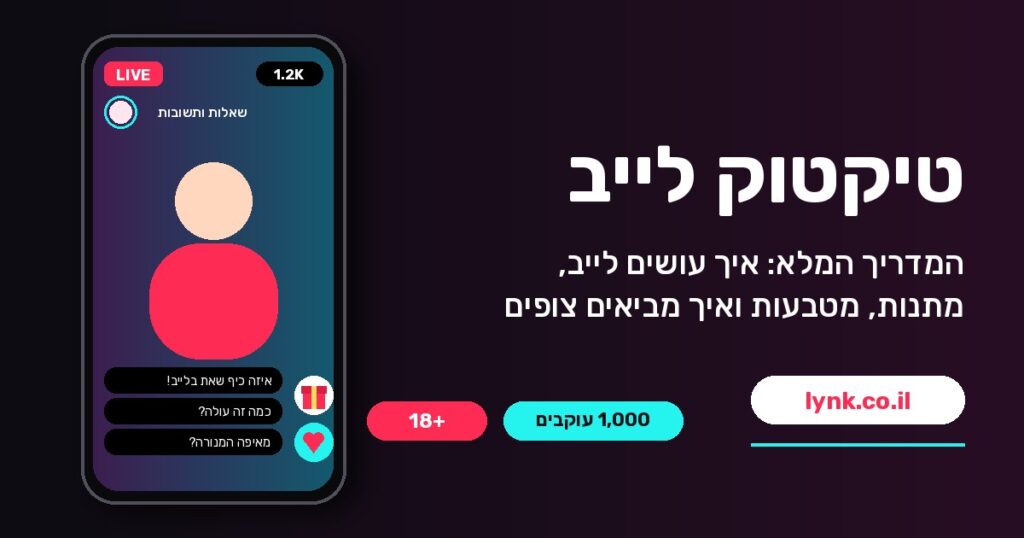
TikTok LIVE is live streaming inside the TikTok app: you talk to viewers in real time, answer comments in the chat and can receive virtual gifts. To go LIVE you generally need to be 18 or older and have at least 1,000 followers, though TikTok says the follower number can vary by region. For creators and businesses it’s one of the most powerful tools on the platform: instead of a 30-second video people scroll past, you get tens of minutes of direct contact with an audience that chose to stay. This guide covers who can go live, how to start a stream step by step, how coins and gifts work, the tools for managing the chat and what actually brings more viewers.
What TikTok LIVE is and how it differs from a regular video
With a regular video you shoot, edit and upload, and the algorithm decides who sees it. On TikTok LIVE there’s no editing and no second take. You’re on air, viewers see you right now, and every comment can get an answer within seconds. That’s why LIVE feels much more personal and builds trust faster than any edited video.
Viewers can reach your LIVE in several ways: the LIVE tab at the top of the app, the For You and Following feeds, notifications, search results and your profile. In other words, a stream can reach people who don’t follow you yet, just like videos. To understand how TikTok decides what to show to whom, read our guide on how to get on TikTok’s For You page.
What you can do on a LIVE:
- Talk to your audience in real time and answer questions from the chat.
- Invite guests to a shared stream (Multi-guest) or go live together with another creator.
- Receive virtual gifts from viewers, if you’re eligible.
- Pin a comment to the top of the chat, such as a link, a question or an important message.
- Save the stream and watch it again after it ends.
Who can go live on TikTok: age, followers and location
According to TikTok’s official Help Center, there are three main requirements for TikTok LIVE:
- Age 18 or older to start a LIVE. TikTok may ask you to verify your age when you start streaming, and if it can’t verify your age, you won’t be able to go live.
- Age 18 or older to send or receive gifts on LIVE, too.
- 1,000 followers to go LIVE. TikTok notes that this number may vary by region.
Your account also needs to be in good standing, with no recent suspensions for breaking the rules. TikTok also says LIVE and gifts aren’t available everywhere, so the simplest check is to tap the + button and see whether the LIVE option appears for you.
How many followers do you need to go live on TikTok?
The official number TikTok publishes is 1,000 followers, with a note that it may differ by region. There’s no official way around the threshold. If you’re not there yet, you can work toward it with regular content, short videos with strong openings and collaborations. We wrote a full guide on how to reach 1,000 TikTok followers.
How to go live on TikTok, step by step
Starting a TikTok LIVE in the app takes less than a minute. Here’s how it works, based on TikTok’s instructions:
- Open the app and tap the + (post) button at the bottom of the screen.
- Scroll the bottom menu and choose LIVE.
- Write a title for the stream. A clear title like “Hair care Q&A” works much better than “Let’s chat”.
- Choose a cover image, effects and settings: comments, gifts, moderators and keyword filters.
- Tap Go LIVE and start streaming.
- To finish, tap the end button at the top and confirm.
You can also change settings during the stream, through the “More” button (three dots) at the bottom of the screen, then “Settings”.
Going live from a computer: LIVE Studio and OBS
If you want to stream games, your computer screen or a multi-camera setup, you can go live from a computer. TikTok offers software called LIVE Studio for Windows, and you can also stream through OBS Studio. Access to desktop streaming depends on your account and region, and not everyone gets it right away. For beginners, a phone is plenty.
Before you go on air: a short prep checklist
Many streams fail not because of the content but because of weak preparation. Before you start a TikTok LIVE, run through this list:
- Stable internet. Good Wi-Fi beats mobile data. A stream that freezes loses viewers fast.
- Light in front of you. A window facing you or a simple ring light changes the whole picture.
- A steady phone. A cheap tripod beats holding it for half an hour.
- A topic and a structure. Know what you’ll say in the first five minutes and what the main points are.
- Advance notice. A video or story saying “LIVE tonight at 9 pm” brings in your loyal followers.
- A chat moderator. If you expect lots of comments, ask a friend to be a moderator.
TikTok LIVE in numbers, according to TikTok’s Help Center and safety guide:
| Rule | Number |
|---|---|
| Minimum age to go LIVE or use gifts | 18 |
| Followers needed to go LIVE | 1,000 (may vary by region) |
| How long a LIVE replay is kept | 30 days |
| Filtered keywords | Up to 500 |
| Moderators per stream | Up to 30 |
TikTok gifts and coins: how they work
One of the most confusing parts of TikTok LIVE is the gift system. In practice there are three different “currencies”, and it helps to know the difference:
- Coins: viewers buy them with real money, in the app (through Apple’s or Google’s app store) or on TikTok’s website in countries where that’s supported.
- Gifts: viewers “spend” coins on virtual gifts, like a rose, a lion or a galaxy, and send them to the creator during the LIVE. Each gift has a different coin price, shown under the gift before sending.
- Diamonds: what the creator receives. TikTok awards diamonds based on the stream’s popularity and the gifts received, and they’re one of the factors that determine the rewards a creator can get.
According to TikTok’s LIVE Gifts page, to turn on gifts you need to live somewhere the feature is available, be 18 or older, be eligible to go LIVE and have an account in good standing. You turn gifts on in the LIVE screen, under “Settings”, before going on air.
Two important points many people miss. First, diamonds aren’t automatically worth money. TikTok sets the reward under its rewards policy, and can reduce diamonds if it believes popularity was gained against the rules. Second, gifts aren’t refunded: once you send a gift, the coins are gone. If you see sites offering “cheap TikTok coins” that ask for your login details, stay away. The safe way to buy TikTok coins is only through the app or the official website.
How do you make money from TikTok LIVE?
The main source is rewards from gifts, but that’s not everything. Creators and businesses also use LIVE to sell products, launch a collection, send customers to their website or WhatsApp, and build an audience that buys from them later. If “how much can I earn?” is your question, we have a guide on how many followers you need to make money.
Managing the chat on TikTok LIVE: comments, moderators and filters
An active chat is the heart of every good TikTok LIVE, but it can get out of hand fast. According to TikTok’s page on LIVE comments, you have several tools worth knowing before you go on air:
- Filtered keywords: you can add up to 500 words or phrases, up to 30 characters each. Comments that contain them won’t be shown to you or to viewers. By default, similar variations are filtered too.
- Automatic filtering: spam and offensive comments are filtered by default.
- Muting: you can mute a viewer for a set time or for the whole stream, and set mute rules for specific words.
- Pinning a comment: pin the main question or an important message to the top of the chat.
- Moderators: friends who help manage the chat in real time. According to TikTok’s LIVE safety guide, you can appoint up to 30 moderators per stream, and they need to be your friends or mutual followers.
After the stream ends, the replay is available in LIVE Center inside TikTok Studio for 30 days. From there you can watch it again, download it to your device or delete it. This is very useful: strong moments from a LIVE can become short videos that bring viewers to your next stream.
How to get more viewers on TikTok LIVE
Your viewer count shows in the top corner of the screen throughout the stream, and people who join see it before they hear a word. That makes the first minutes critical. Here’s what works in practice:
- Set a regular time. A LIVE every Tuesday at 9 pm becomes a habit for your audience. In Israel, evenings are usually the most active hours, but check your own account’s data.
- Announce it in advance. A short video the day before and a reminder an hour before. You can also create a scheduled LIVE event so people get a notification.
- Give people a reason to stay. Q&A, a product demo, an announcement, a giveaway or an interesting guest. “Just chatting” only works if you already have a big audience.
- Greet every new viewer by name. People stay when they feel seen.
- Ask questions. Every chat comment is an engagement signal and makes the stream look lively.
- Stream for at least 20 to 30 minutes. It takes time for a stream to start appearing in people’s feeds and for viewers to join.
- Collaborate. A joint LIVE with another creator puts you in front of their audience.
- Repurpose the content. Strong clips from the replay make great videos that bring new followers to your next stream.
8 TikTok LIVE ideas for businesses and creators
“What do I stream about?” stops a lot of people before their first LIVE. Here are TikTok LIVE ideas that work for most businesses and creators in Israel:
- Q&A: collect questions from your video comments and answer them live. It’s the easiest format to start with.
- Product demo: show how to use the product, answer questions and point to the link in your profile.
- Behind the scenes: packing orders, preparing a dish, a shoot day or sorting stock.
- A launch or limited-time offer: “Only for people on the LIVE right now” gives people a good reason to join and stay.
- A short lesson: a fitness coach, a guitar teacher or a designer can teach one thing in twenty minutes.
- Hosting an expert or a customer: a split-screen conversation with a guest brings in their audience too.
- Reacting to a trend: talk about something everyone in your field is talking about, with a clear opinion.
- Work-along stream: “Work with me” or “Study with me”, a quiet format that holds viewers for a long time.
You don’t have to choose one format forever. Try two or three, check the replay data for how long people stayed and when they left, and keep doing what works. TikTok LIVE rewards consistency more than one perfect stream.
TikTok LIVE or a regular video: when to use each
| TikTok LIVE | Regular video | |
|---|---|---|
| Main goal | Relationship, trust, sales and gifts | Reach and new followers |
| Length | Usually 30 to 60 minutes | Seconds to minutes |
| Editing | None, everything is live | Full, you can reshoot |
| Requirements | Age 18 and usually 1,000 followers | Any account |
| What’s left afterwards | A replay for 30 days | The video on your profile |
Put simply: short videos bring new people to your profile, and LIVE turns them into an audience that knows you. The accounts that grow fastest combine both.
Common TikTok LIVE mistakes
- Starting without a clear title. People scrolling the feed decide from the title whether to join.
- Waiting for people before you start. Start talking from the first second, even with two viewers. Whoever joins needs to see something happening.
- Ignoring the chat. A LIVE where the creator doesn’t answer comments feels like a video, and people leave.
- Asking for gifts all the time. It drives viewers away. Thank people who send gifts and put the effort into the content.
- Forgetting the rules. Content that breaks the Community Guidelines can lead to a LIVE suspension, and sometimes to losing access to the feature.
Is it worth buying TikTok LIVE viewers?
The hardest part of starting with TikTok LIVE is the first few minutes: a stream with three viewers looks empty, and people who arrive from the feed leave quickly. For a launch, an announcement or an important event, some people choose to give the stream an initial push. At Lynk Media you can order TikTok LIVE viewers once your stream is already on air: enter the link to the profile that’s streaming, choose a tier and quantity, and viewers join gradually and stay for the duration of the tier you picked. We never ask for a password, and prices start from ₪9.90 with VAT included. On our TikTok services page you’ll also find TikTok followers, likes and video views.
To be clear: bought viewers don’t send gifts, don’t write in the chat and don’t buy from you. They help the stream’s first impression and don’t guarantee TikTok will show the LIVE to more people. TikTok may also remove engagement it identifies as inauthentic. What works over time is good content, a regular time and a real conversation with your audience. Before ordering, we recommend reading our guide on whether buying followers is safe.
The bottom line
TikTok LIVE is the most direct way to build a relationship with an audience on TikTok: no editing, in real time, with chat and gifts. To start you need to be 18 or older and usually have 1,000 followers. From there, the difference between an empty LIVE and a successful one is preparation, a regular time, a clear title and a real conversation with whoever joins. Start small, stream consistently and turn the best moments into videos that bring your audience to the next stream.