Instagram Stories: the complete 2026 guide (stickers, Highlights and 50 story ideas)
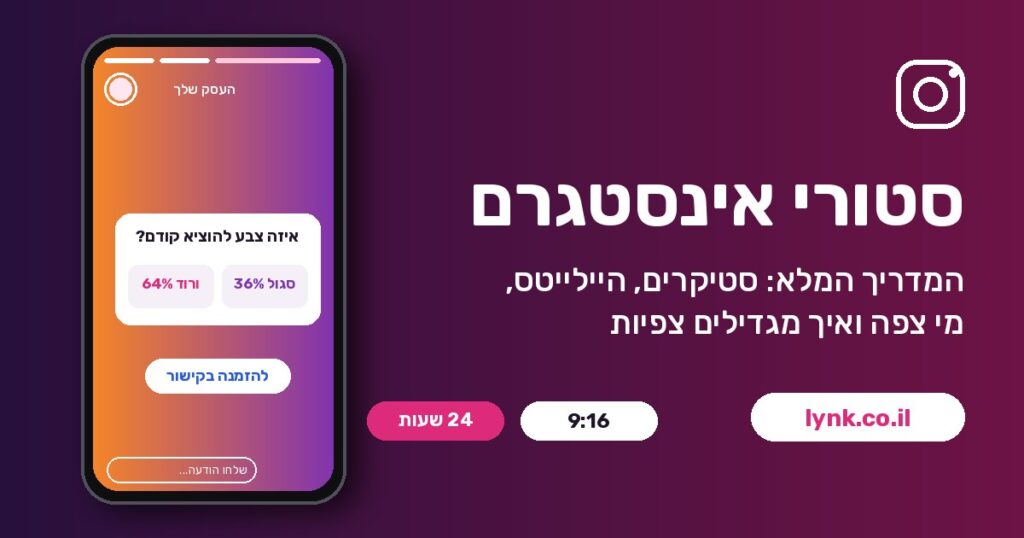
Instagram Stories are short photos and videos that appear at the top of the app and disappear after 24 hours, unless you save them to Highlights on your profile. They’re where your closest followers meet you every day, which makes them the easiest place to build a relationship, get replies and drive action: a message, a link click or a sale. This guide explains how Stories work in 2026, how to post one step by step, which stickers are worth using, how Highlights and Close Friends work, how to see who viewed your story and how to get more views the smart way.
What Instagram Stories are and how they work
A story is a sequence of vertical photos and videos shown full screen. When you have an active story, a colorful ring appears around your profile photo, and followers see you in the row of circles at the top of their feed. Viewers tap to move to the next frame, swipe to move to the next account, and can reply with a message, a like or a quick emoji.
The difference between a story and a post or Reel is mostly intent:
- Posts and Reels stay on your profile and are meant to reach new people too, through the feed, Explore and recommendations.
- Stories are mainly for people who already follow you. They’re temporary, spontaneous and less polished, so they suit updates, behind-the-scenes, questions and polls.
According to Instagram’s official Stories page, you can add text, music, interactive stickers, filters and GIFs to a story, and share it with all your followers or only with a Close Friends list. To understand how Stories fit into the platform’s overall ranking, read our guide to the Instagram algorithm in 2026.
How to post an Instagram story, step by step
Posting a story takes less than a minute. Here’s how it works in the app, based on Instagram’s Help Center:
- Tap the create button (+) at the top, or swipe right from anywhere in your feed.
- Choose “Story” at the bottom of the screen.
- Tap the capture button to take a photo, or press and hold to record a video. To pick a photo or video from your gallery, swipe up.
- Add text, drawings or a sticker from the icons at the top. To remove an element, drag it to the trash at the bottom.
- Tap “Your story” to share with all your followers, or “Close Friends” to share with the smaller list only.
A small tip: if you post several frames in a row, plan them like a short story with a beginning, middle and end. A story built as a sequence holds viewers better than ten random frames.
How long a story stays up and how long it can be
A few basics worth remembering:
- 24 hours live. A story disappears from your profile, the feed and the inbox after a day, unless you’ve added it to Highlights.
- Up to 60 seconds per clip. A video of up to 60 seconds appears as one clip. A longer video is split into several clips automatically.
- Vertical 9:16 format. That’s the format that fills the screen. A horizontal photo shows with borders, so shoot vertically from the start.
- 48 hours for the viewer list. You can see who viewed your story for up to 48 hours after posting, through your archive.
Instagram Story stickers worth knowing
Stickers are what turn a story from “a photo going by” into a conversation. Every sticker response is an interaction, and it also helps you understand what your audience wants. These are the most useful ones:
Poll
Two or more options, and the viewer picks with one tap. It’s the easiest sticker to take part in, which makes it great for warming up your audience: “Which color should we release first?”, “Coffee or tea?”.
Questions
Viewers type you a question or a free-text answer. You can answer them in your next stories, turning what your audience actually asks into content. For questions to ask your followers, see our guide to Instagram story questions.
Quiz
A question with one correct answer. Good for businesses that want to teach something in a light way, for example “How long does opened olive oil keep?”.
Link
A sticker that leads to an external address: a product page, an article, a form or a booking. It’s one of the only tools on Instagram that allows a direct link from inside content, so it matters a lot for businesses. Write next to the sticker what happens when people tap it, not just “link”.
Music
Adds a song in the background, with or without lyrics on screen. The right music raises watch time, but song availability can vary by account type and region.
Add Yours
A sticker that invites people to post their own story on the same theme, creating a chain. When it catches on, it’s one of the few stickers that brings exposure to people who don’t follow you.
Countdown, mention and location
A countdown suits launches and sales, because viewers can ask to be reminded. A mention (@) tags another account, and a location adds the story to place-based search, which helps local businesses.
Highlights: keeping Instagram stories on your profile
Highlights are the circles under the bio on your profile. They keep selected stories permanently, until you delete them, organized by topic. For a business, Highlights are essentially the profile’s “menu”: about us, prices, reviews, FAQs, how to order.
To add a story to Highlights, open the story and tap “Highlight” at the bottom, or go to your profile, tap the + under your bio and choose stories from your archive. A few rules that work:
- Short names of one or two words, so they don’t get cut off.
- Consistent cover images in your brand colors, so the profile looks tidy.
- A “Reviews” or “Customers say” Highlight is probably the most important one for a business, because it answers “Can I trust them?”.
Highlights work together with your bio. If you haven’t sorted your bio yet, we have a full guide to writing an Instagram bio with dozens of ideas.
Close Friends: stories for a smaller audience
A Close Friends list lets you share a story only with people you choose. According to Instagram’s Help Center, people on the list know they’re on it and see a green ring around your profile photo, but nobody can ask to join the list.
For personal accounts it’s a space for more private content. Businesses and creators use it differently: a VIP customer list that gets early offers, or a group of regulars who see a new product first.
Who viewed my story, and how to read the numbers
To see who viewed your story, open it and swipe up. You’ll see the view count and a list of usernames. Only you can see the list. After 24 hours you can still see it, up to 48 hours from posting, through the profile menu, then Archive. According to Instagram’s explanation, the view count includes repeat views.
A professional account (business or creator) also gets more detailed data in the professional dashboard: how many accounts you reached, how many tapped forward, how many exited the story and how many tapped a link. Three metrics to check every week:
- Reach of the first frame versus the last. If many people drop off in the middle, the sequence is too long or the opening isn’t interesting.
- Replies and messages. They’re a strong sign the content is landing with people.
- Link taps. The metric most tied to revenue, if you’re selling something.
To measure engagement properly over time, see our guide to Instagram engagement rate.
How to save or download an Instagram story
Downloading a story is a common search, and for your own stories the answer is simple:
- Before posting: the editing screen has a download button that saves the story to your phone’s gallery.
- After posting: open the story, tap the three dots and choose Save.
- From the archive: if saving stories to the archive is on in your settings, every expired story is kept there, and you can download it or reshare it as a memory.
As for other people’s stories, Instagram doesn’t let you download them inside the app. Some outside websites offer it, but be careful with them, never enter your password there, and remember the content belongs to whoever made it. If you want to reshare a customer’s content, ask for permission, or reshare a story they tagged you in.
Instagram story ideas: 50 ideas by goal
The story ideas that work best on Instagram invite the viewer to do something: vote in a poll, ask a question, guess or join a chain. After those come behind-the-scenes, personal moments and content tied to a holiday or season. Pick an idea by what you want to happen:
| What you want | Story idea | Sticker |
|---|---|---|
| More replies and DMs | Ask me anything | Questions |
| Get to know your audience | This or that | Poll |
| Teach something lightly | True or false | Quiz |
| Send people to your site | A launch with a clear reason to tap | Link |
| Remind people of an event or sale | Countdown | Countdown |
| Reach people who don’t follow you | An Add Yours chain | Add Yours |
Looking for ready-made wording for the Questions sticker, polls and quizzes? We collected it in our guide to Instagram story questions.
10 story ideas for businesses
The hard part of stories isn’t the technique, it’s what to post every day. Here are ideas that work for most businesses in Israel:
- Behind the scenes: packing an order, preparing a dish, a shoot day. People like seeing how things are made.
- A poll on a new product: let your audience pick a color, flavor or name. Anyone who voted will want to see the result.
- Q&A: a Questions sticker once a week, with answers in the following stories.
- A customer review: a screenshot of a message (with the customer’s permission) or a story you were tagged in.
- Before and after: perfect for design, renovation, cleaning, beauty and fitness.
- One professional tip: a single frame with a short tip that shows you know your field.
- A countdown to a launch or sale: with the Countdown sticker, so viewers get a reminder.
- Promoting a new post or Reel: share the new content to your story, with a line on why it’s worth watching.
- Meet the team: who answers messages, who packs, who designs. Real faces build trust.
- A link with a clear reason to tap: “Order in the link, 12 left” works much better than “Link on the website”.
Interactive stories: polls, questions and quizzes
Stickers turn a view into an action, and every action moves the viewer closer to you in the stories row:
- This or that: a poll with two photos, two products, two dishes or two colours.
- Ask me anything: an open Questions sticker, with answers in the next stories.
- True or false: a quiz on a well-known myth in your field.
- Emoji slider: “How excited are you?” before a launch or event.
- Finish the sentence: “The first thing I do every morning is…” in a Questions sticker.
- A real decision for your audience: a product name, the topic of your next post or a new flavour.
- Guess how many: how long the job took, how many layers in the cake, how many orders went out today.
- An Add Yours chain: a topic that’s easy to join, like “your morning coffee”.
- What do you think? A new trend in your field, and whether you should try it.
- Countdown: to a live, a launch or the end of a sale, with a reminder for viewers.
Instagram story games
A quick game brings people back for the next story, because they want the answer:
- Spot the difference between two nearly identical photos.
- What’s in the box? One clue every few hours, and the reveal in the evening.
- Bingo for your niche: a 9-square card, and viewers send a screenshot of what they ticked.
- Tap to stop: a fast sequence of photos, and whoever stops on the “winner” sends a screenshot.
- Rate it 1 to 10 with the slider: a dish, an outfit, a view.
- A gentle truth or dare: your audience picks, and you answer or film it.
Personal story ideas
A personal account doesn’t need a content plan. Real moments from your day are enough:
- A day in the life in five frames, from morning to evening.
- What I cooked today, with the recipe in three lines.
- The song I’m playing right now, with the Music sticker.
- The view from the window or the road, with a location tag.
- Then vs now: an old photo next to a new one.
- One recommendation: a book, series or podcast, and a line on why.
- The funny moment of the day, without overplanning.
- A workout, run or hike, with the route or the time.
- A thank-you to a friend, with a tag.
- A goal for the week, and an update story at the end of it.
Story ideas for holidays and seasons
The Israeli calendar hands you a ready-made topic almost every month:
- Rosh Hashanah: a personal greeting, and what you wish yourself for the new year.
- Hanukkah: a poll, “sufganiyah or latke?”.
- Purim: your team’s costumes, plus an Add Yours chain for followers’ costumes.
- Passover: a cleaning tip or a holiday recipe.
- Summer: “What’s your favourite beach?” in a Questions sticker.
- Back to school: a “what to buy” list or a tip for parents.
- Black Friday and year end: a countdown to your sale.
- Year in review: five moments from the past year.
Story backgrounds and design
Consistent design helps people recognise you in a second, even before they read your name:
- A single-colour background with one big line of text, no photo.
- A blurred photo in the background with readable text on top.
- A fixed template for a weekly series: same colour and font, so people recognise you at once.
- A collage of several photos in one frame, using Layout in the story camera.
- A new post on a background in your brand colours, captioned “new in the feed”.
- Matching Highlight covers, in the same style as your stories.
How to get more Instagram story views
Story views depend mainly on two things: how many people follow you, and how many of them Instagram shows you to near the front of the stories row. Instagram tends to show accounts the viewer interacts with first, so every reply, message or poll vote also helps your next stories. What works in practice:
- Consistency. Stories every day or almost every day keep you near the front of the row for active followers.
- A strong first frame. Viewers decide within a second whether to continue. Open with a question, a result or a striking image.
- An interactive sticker in every sequence. A poll or question invites action, and action moves the viewer closer to you in the ranking.
- Short, readable text. Many people watch with the sound off. Captions or on-screen text keep them watching.
- The right posting times. Check your data for when your followers are active. In Israel that’s usually the evening.
- Growing your followers. More active followers means more potential viewers for every story. Good Reels and posts bring new followers, and stories keep them.
If your views seem to have dropped for no reason, read our guide on why Instagram followers drop, since sometimes the issue is your follower base, not the stories themselves.
Instagram Stories or Reels: what each is for
Many business owners ask whether to invest in Stories or Reels. The answer is both, but each has a different job:
| Instagram Stories | Reels | |
|---|---|---|
| Who sees it | Mostly existing followers | People who don’t follow you, too |
| How long it stays | 24 hours, or permanently in Highlights | On your profile until you delete it |
| Production level | Spontaneous, everyday | Planned and more edited |
| Main goal | Relationship, trust and action | Reach and new followers |
| Interaction tools | Polls, questions, links, messages | Likes, comments, shares, saves |
Put simply: Reels bring new people to your profile, and Stories turn them into an audience that knows and trusts you. A business that posts only Reels misses the daily connection, and a business that posts only Stories talks to the same people every day and doesn’t grow.
Common Instagram Stories mistakes
- Too many frames in a row. Twenty frames a day makes people skip. Five good ones are better.
- Text that’s too small or in areas that get cut off. Leave space at the top and bottom of the screen, where the username and the reply bar sit.
- Only selling. If every story is “buy now”, viewers learn to skip. Mix in value, people and behind-the-scenes.
- Not answering messages. Every story reply is a chance for a conversation, and sometimes a sale. Answer quickly.
- Forgetting Highlights. A good story that disappears after a day is a waste. Save the ones that answer new customers’ questions.
Is it worth buying Instagram story views?
Sometimes a new business or a brand-new profile doesn’t want its stories to look empty, especially on a launch day or when sending new customers to the profile. At Lynk Media you can order Instagram story views by username, with no password, from ₪9.90 with VAT included. Views go to the stories that are live at the time of delivery, so post your story first and only then order. On our Instagram services page you’ll also find Instagram followers, likes and Reels views.
To be clear: bought views don’t bring customers by themselves, don’t answer polls and don’t tap links. They help the first impression and don’t guarantee Instagram will show the story to more real followers. What works is good content with stickers and consistency, with a small push when you need it. Before ordering, we recommend reading our guide on whether buying followers is safe.
The bottom line
Instagram Stories are the everyday tool for staying in touch with your followers: 24 hours live, vertical, with stickers that turn a view into a conversation. Use polls and questions to get your audience involved, save important stories to Highlights, check your data for what works and post consistently. Investing in Stories builds an audience that knows you, and that audience is the one that ends up sending a message, tapping a link and buying.